 Peakub Support
Website & Pages
Pages, branding, and reusable content on your publication's site
Every publication is also a small website, not just a feed of posts - standalone pages and shared branding, both managed from Studio's Website tab.
Adding a page beyond your posts
An About page, a Start Here page, anything that isn't a dated post - that's a Page, not an article. Pages live in your site's navigation permanently, the way posts don't.
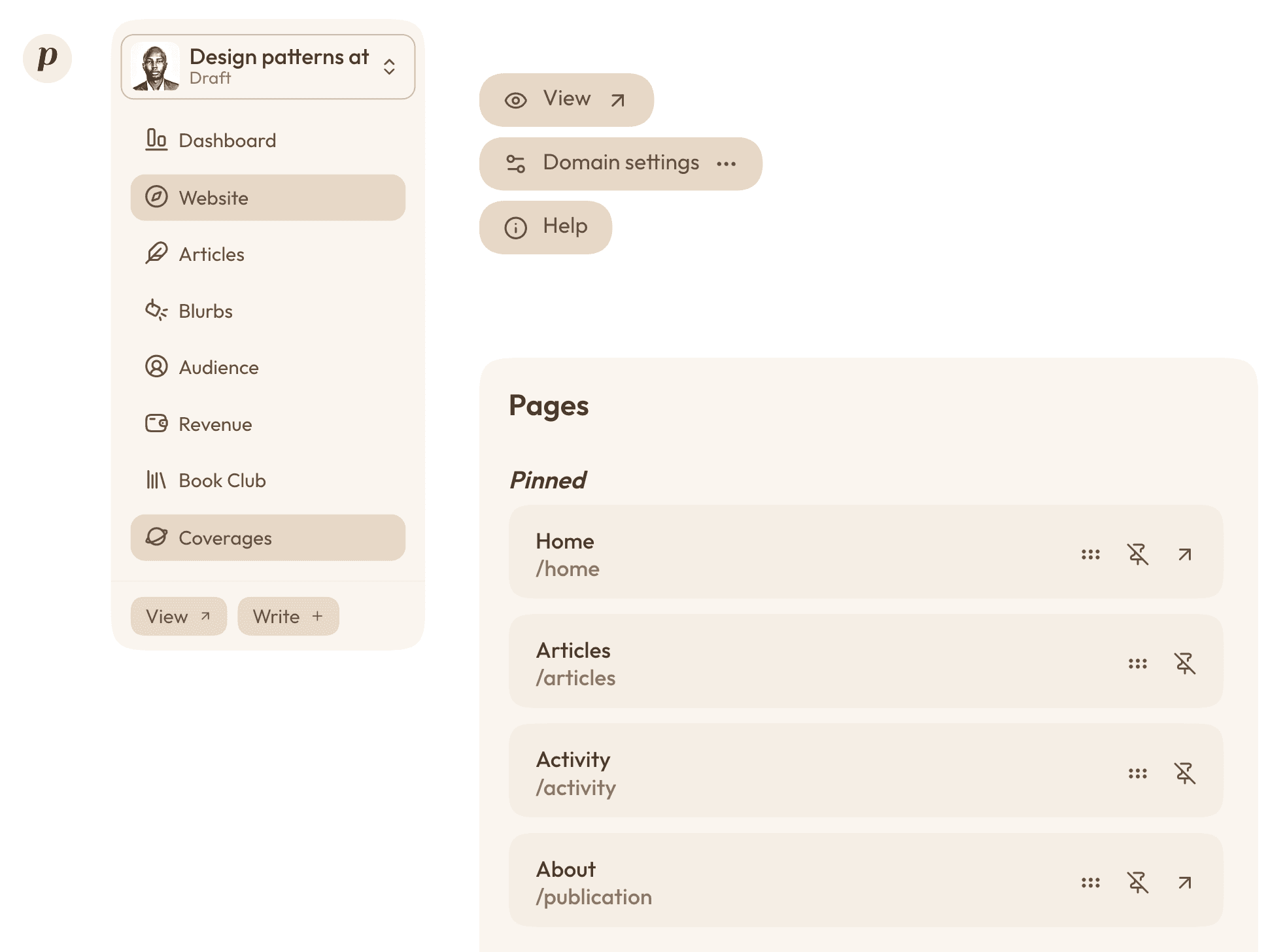 The Website tab in Studio, showing the Pages list and the "add page" action.
You pick a template for each new page, from the "Add a page" window: see Adding a page. The Navigation block of the same tab lists your pages and decides what's in your menu: see Your pages and menu.
Building your pages
Pages are built in the page editor, out of blocks: a hero, some text, a gallery, your latest articles. Everything about it, from adding and arranging blocks to galleries, files to download and publishing, is in Page editor.
Writing something once and reusing it everywhere
A snippet is a bio, a call-to-action, a recurring note - anything you'd otherwise be retyping into every page, article, and email. Write it once as a snippet, drop it in wherever it's needed, and editing the snippet updates every place it appears.
Your snippets live together in the Snippets tab of Studio, grouped by kind (texts, links, galleries, files, calls to action...). See Snippets and Calls to action.
Your publication's icon
The Square icon you set under Branding stands for your site wherever there's only room for a small image:
- the browser tab, on your peakub.com address and on your own domain
- search results, where Google can show it next to your site once it has crawled it again
- a reader's phone home screen when they add your site to it, along with your publication's name
Pick a square image with a simple, bold shape - it's shown as small as 16 pixels. A new icon can take up to an hour to show up, and readers who already added your site to their home screen need to remove it and add it again to see the change.
When a reader lands on a page that doesn't exist
On your publication's site, a page that doesn't exist (a mistyped address, or something that was taken down) shows a 404 page in your publication's own look: its header, its colors and its fonts, the words "This page doesn't exist" and a Back to home button. It is no longer Peakub's generic error page. There is nothing to set up.
Your own domain instead of a peakub.com one
Covered on its own page - see Custom Domains.
Last updated on